Step 1. Input the URL of ECNU login center: https://sso.ecnu.edu.cn in your browser.
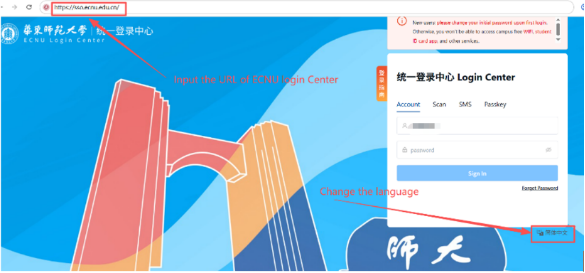
You can change the language of login center by clicking the words at the right-bottom.
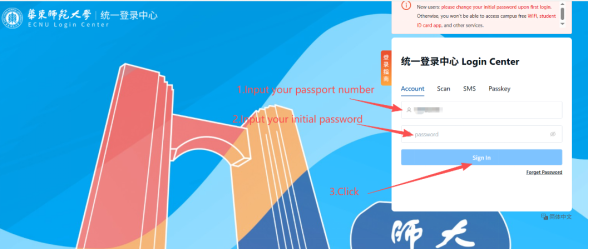
Step 2. Log in using your passport number and initial password.
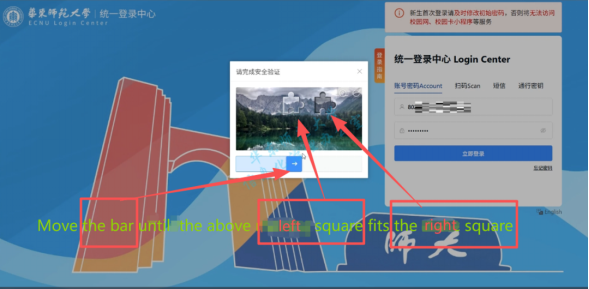
Step 3. Move the bar until the above left square fits the right square.
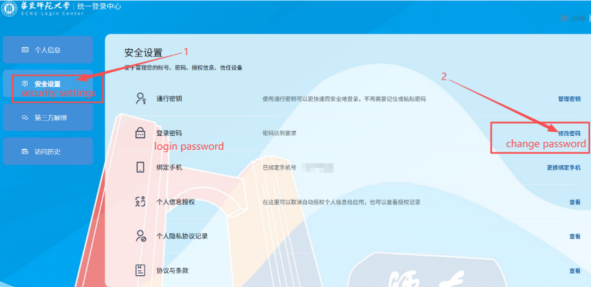
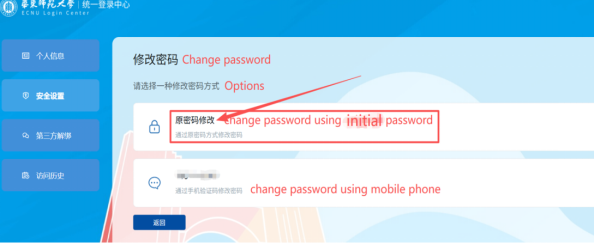
Step 4. Click“安全设置(security settings)” and click“修改密码(change password)”
Step 5. Click“原密码修改(Change password using initial password)”
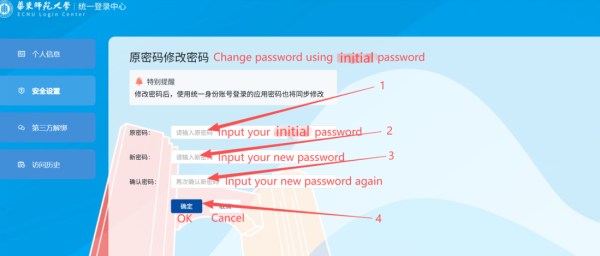
Step 6. Input your initial password and new password, then click the“确定(OK)”button.
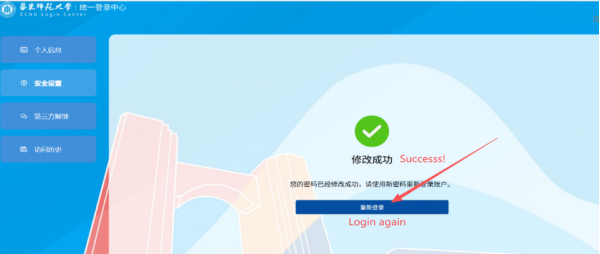
Click the“重新登录(log in again)” button.
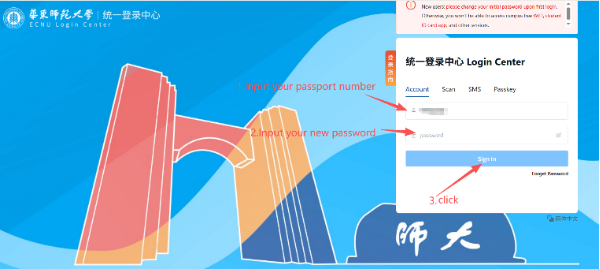
Step 7. Log in again using your passport number and new password.
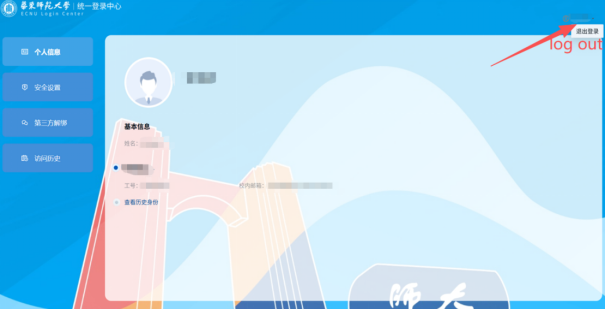
Step 8. Log out: move your mouse to your username at the right-top corner in the window, then the“退出登录”(log out) button will pop up and click the button.
Login ECNU Freshman Homepage







