Attention! Before you log in ECNU freshman homepage,you should change your password by referring to the guide “Change Password on First Login”.
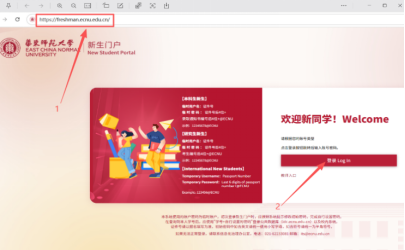
Step 1. Input the URL of ECNU freshman: https://freshman.ecnu.edu.cn in your browser, then click the “登录 Login” button.
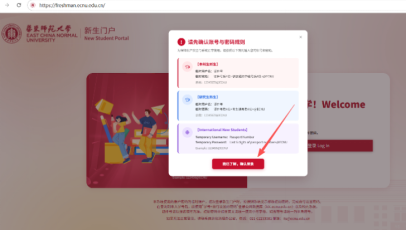
Step 2. A reminder window will pop up in your browser,
then click the “我已了解,确认登录”button at the bottom of the window.
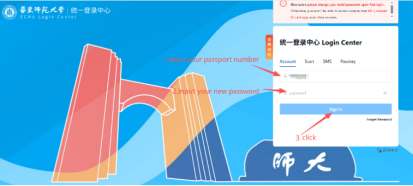
Step 3.The browser will be redirected to the ECNU login center automatically. then input your passport number and new password, and click the “Sign in” button.
Attention! As you have change your password, you should input the new password
instead of initial password(temporary password). Do not be disturbed by step 2.
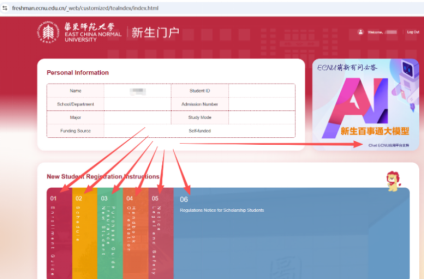
Step 4. Click the menu of new student registration instructions.
Change Password on First Login







